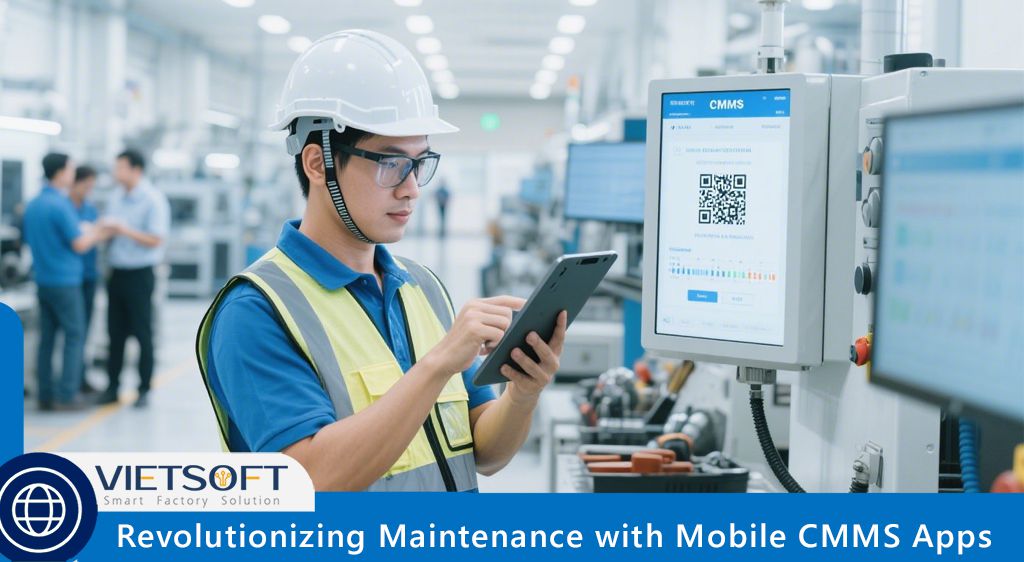
In today’s fast-paced industrial
landscape, effective maintenance management is critical to ensuring operational
efficiency, minimizing downtime, and extending the lifespan of assets. Mobile
CMMS Apps (Computerized Maintenance Management System applications) have
emerged as transformative tools, empowering maintenance teams to manage tasks
on the go using smartphones or tablets. By combining the robust functionality
of traditional CMMS software with the flexibility of mobile technology, these
apps are revolutionizing how organizations handle maintenance operations across
industries like manufacturing, utilities, hospitality, and more.
This article explores the concept of Mobile
CMMS Apps, their key features, benefits, and their role in transitioning from
reactive to preventive maintenance strategies.
I. What Are Mobile CMMS Apps?
Mobile CMMS Apps are cloud-based software applications designed to
allow maintenance teams to manage work orders, assets, inventory, and
maintenance schedules directly from mobile devices. Unlike traditional
desktop-only CMMS systems, these apps provide real-time access to critical
data, enabling technicians to perform tasks efficiently, even in remote or
offline environments.
A Mobile CMMS App centralizes maintenance
operations into a single, user-friendly platform, offering features like work
order management, asset tracking, inventory control, and real-time reporting.
By leveraging mobile technology, these apps empower technicians to stay connected,
informed, and proactive, ultimately improving operational efficiency and
reducing costs.
For example, a technician in a manufacturing plant
can use a Mobile CMMS App to receive a work order, check the maintenance
history of a machine, scan a QR code to access spare parts inventory, and
update the task status—all from their smartphone. This eliminates the need for
paperwork, reduces communication delays, and enhances accuracy.
II. How Do Mobile CMMS Apps Work?
Mobile CMMS Apps operate on cloud-based servers, which store and
synchronize data in real time. This allows users to access the system from any
internet-connected device, such as a smartphone or tablet. The apps are
typically available for iOS and Android platforms, ensuring compatibility with
a wide range of devices.
Here’s a simplified breakdown of how Mobile CMMS
Apps function:
1.
Work Order Management: Managers create and assign work orders through
the app, specifying details like priority, location, and required resources.
Technicians receive instant notifications and can update task statuses in real
time.
2.
Asset Tracking: The app stores detailed information about each asset, including
maintenance history, specifications, and performance metrics. Technicians can
access this data on-site to make informed decisions.
3.
Inventory Control: Users can scan barcodes or QR codes to check spare parts availability,
request new supplies, or update inventory levels, ensuring critical materials
are always in stock.
4.
Real-Time Reporting: The app generates reports on maintenance activities, downtime, and
costs, providing managers with actionable insights to optimize operations.
5.
Offline Functionality: Many Mobile CMMS Apps allow users to
perform tasks offline, with data automatically syncing once an internet
connection is restored.
By automating these processes, Mobile CMMS Apps
reduce manual errors, streamline workflows, and enable faster response times,
making them indispensable for modern maintenance teams.
III. Key Features of Mobile CMMS Apps
Mobile CMMS Apps are packed with advanced features designed to
enhance maintenance operations. Below are some of the core capabilities that
make these apps a game-changer:
1. Real-Time Work Order Management
Technicians can create, track, and close work
orders instantly, with push notifications ensuring no task goes unnoticed. This
reduces downtime and improves task prioritization.
2. Comprehensive Asset Management
The app provides access to detailed asset profiles,
including repair history, maintenance schedules, and performance data. This
helps technicians identify potential issues before they escalate.
3. Inventory and Spare Parts Tracking
By scanning barcodes or QR codes, users can monitor
inventory levels, request parts, and automate reordering processes, preventing
delays due to stock shortages.
4. Mobile Inspections and Checklists
Technicians can conduct inspections, complete
digital checklists, and flag non-compliance issues directly from their devices,
ensuring adherence to safety and quality standards.
5. Push Notifications and Alerts
Real-time alerts notify technicians of equipment
failures, urgent work orders, or low inventory levels, enabling proactive
responses.
6. Offline Mode
In areas with limited connectivity, Mobile CMMS
Apps allow users to continue working offline, with data syncing
automatically when online.
7. Multimedia Integration
Technicians can upload photos, videos, or voice
notes to document maintenance tasks, improving communication and
record-keeping.
8. IoT and Sensor Integration
Advanced Mobile CMMS Apps integrate with IoT
sensors to monitor equipment conditions in real time, enabling predictive
maintenance strategies.
These features make Mobile CMMS Apps
versatile tools that cater to the diverse needs of maintenance teams, from
small businesses to large enterprises.
IV. Benefits of Mobile CMMS Apps for
Maintenance Teams
The adoption of Mobile CMMS Apps offers
numerous advantages over traditional maintenance methods, such as paper-based
systems or desktop-only software. Here are the key benefits:
1. Increased Efficiency and Productivity
By providing instant access to work orders, asset
data, and inventory, Mobile CMMS Apps eliminate time-consuming manual
processes. Technicians can complete tasks faster, reducing administrative
burdens and allowing more focus on core maintenance activities.
2. Reduced Downtime
Real-time notifications and preventive maintenance
schedules help address issues before they cause equipment failures. According
to industry studies, Mobile CMMS Apps can reduce unplanned downtime by
up to 40%, saving significant costs.
3. Improved Accuracy
Digital records and automated data entry minimize
errors associated with paper-based systems. For example, a technician can scan
a machine’s QR code to retrieve accurate maintenance history, avoiding mistakes
caused by manual note-taking.
4. Enhanced Communication and Collaboration
In-app messaging and real-time updates foster
seamless communication between technicians, managers, and office staff,
ensuring everyone stays aligned on maintenance priorities.
5. Cost Savings
By optimizing maintenance schedules, reducing
downtime, and improving inventory management, Mobile CMMS Apps help
organizations save on repair, labor, and replacement costs. For instance, a
manufacturing plant with four unplanned downtime incidents per month, each
costing $500 per hour for eight hours, could save $76,800 annually by reducing
downtime by 40%.
6. Paperless Operations
Mobile CMMS Apps eliminate the need for paper records, reducing
costs and environmental impact while improving data accessibility and security.
7. Scalability and Flexibility
Cloud-based Mobile CMMS Apps are scalable,
allowing businesses to add users, assets, or features as they grow. They also
support multi-site operations, making them ideal for enterprises with dispersed
facilities.
8. Employee Empowerment
By equipping technicians with intuitive tools and
real-time data, Mobile CMMS Apps boost job satisfaction and confidence,
leading to higher retention rates and better performance.
These benefits demonstrate why Mobile CMMS Apps
are essential for organizations aiming to modernize their maintenance
operations.
V. Mobile CMMS Apps vs. Traditional CMMS: A
Comparison
To understand the value of Mobile CMMS Apps,
it’s helpful to compare them with traditional, desktop-only CMMS systems. Below
is a table highlighting key differences:
|
Task |
Desktop-Only CMMS |
Mobile CMMS App |
|
Raising Work Requests |
Requires returning to a workstation to log issues |
Instant request creation with photo and location
details |
|
Assigning Work Orders |
Managers assign tasks at fixed times from a
computer |
Real-time assignment via mobile notifications |
|
Updating Job Statuses |
Updates logged at the end of the day |
Hourly updates from the field |
|
Preventive Maintenance |
Consulted via digital calendars at workstations |
Automated notifications for scheduled tasks |
|
Inventory Checks |
Manual checks or calls to inventory managers |
QR code scanning for real-time stock updates |
|
Spare Parts Ordering |
Manual or automated orders processed at
workstations |
Automated orders with low-stock alerts |
Mobile CMMS Apps offer unmatched flexibility, speed, and
accessibility, making them a superior choice for dynamic maintenance
environments.
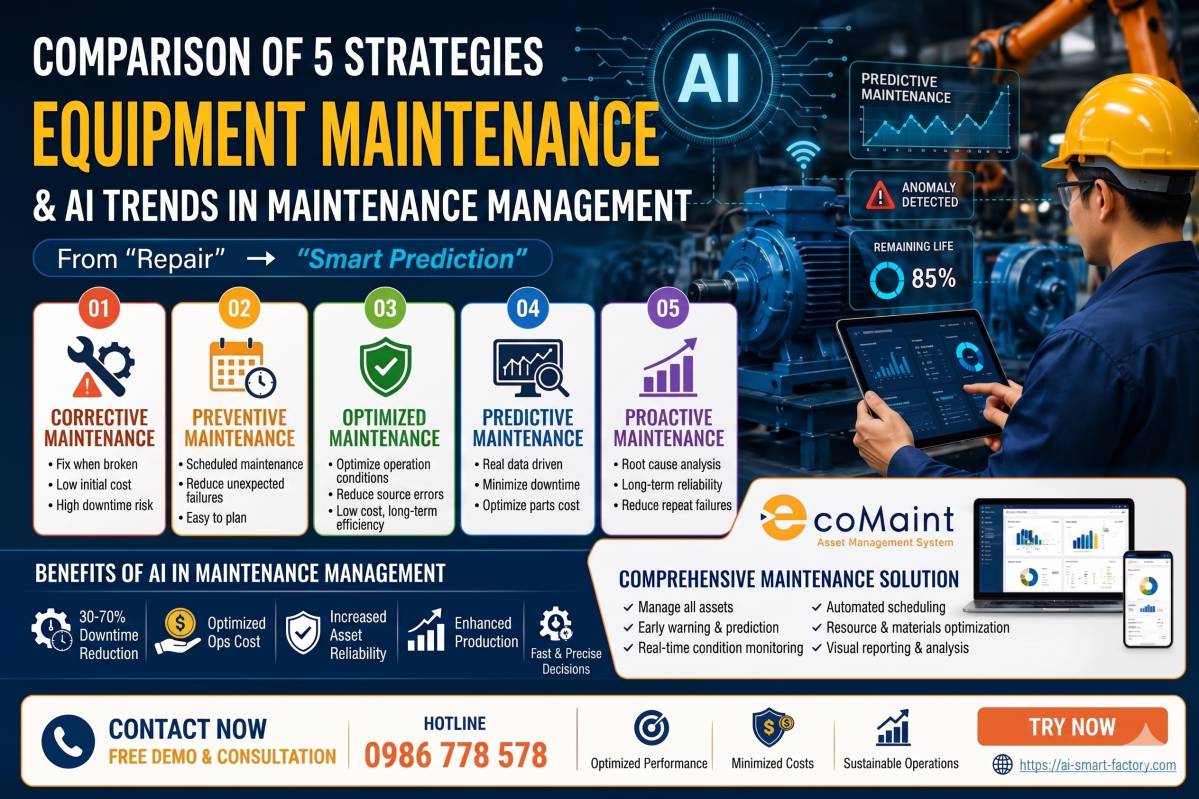
VI. Transitioning to Preventive Maintenance
with Mobile CMMS Apps
Many organizations still rely on reactive
maintenance, addressing issues only after equipment fails. This approach leads
to higher costs, unplanned downtime, and reduced asset lifespans. Mobile
CMMS Apps facilitate a shift to preventive maintenance, where tasks are
scheduled proactively to prevent failures.
Steps to Implement Preventive Maintenance with
Mobile CMMS Apps
1.
Set Clear Goals: Define key performance indicators (KPIs) such as reduced downtime,
lower maintenance costs, or improved asset reliability.
2.
Inventory Assets: Record all assets in the Mobile CMMS App, including details
like model, location, and maintenance history.
3. Conduct Criticality Analysis: Prioritize assets based on their impact on
operations, scheduling more frequent maintenance for critical equipment.
4. Create SOPs: Develop standard operating procedures (SOPs) for preventive
maintenance tasks, accessible via the app’s digital checklists.
5.
Schedule Maintenance: Use the app to automate maintenance schedules based on time, usage, or
condition-based triggers.
6.
Monitor and Adjust: Analyze reports generated by the Mobile CMMS App to refine
schedules and improve efficiency.
By leveraging Mobile CMMS Apps,
organizations can reduce reactive maintenance by up to 50%, according to
industry benchmarks, leading to longer asset lifespans and significant cost
savings.
VII. Risks and Challenges of Adopting Mobile
CMMS Apps
While Mobile CMMS Apps offer substantial
benefits, there are challenges to consider during implementation:
1. Implementation Complexity
Deploying a Mobile CMMS App requires
integration with existing systems, data migration, and configuration.
Organizations without a dedicated IT team may need vendor support to ensure a
smooth setup.
2. User Adoption
Technicians accustomed to paper-based or desktop
systems may resist adopting a new mobile platform. Providing comprehensive
training and choosing an intuitive app can mitigate this issue.
3. Data Security
Cloud-based apps store sensitive data, requiring
robust encryption, access controls, and compliance with regulations like GDPR.
Organizations must select vendors with strong security protocols.
4. Connectivity Issues
In remote areas with poor internet access, offline
functionality becomes critical. Ensure the Mobile CMMS App supports
offline mode to maintain productivity.
By addressing these challenges through careful
planning and vendor selection, organizations can maximize the benefits of Mobile
CMMS Apps.
VIII. Measuring ROI from Mobile CMMS Apps
To justify the investment in Mobile CMMS Apps,
organizations should measure return on investment (ROI) using key metrics:
- Reduced Downtime: Compare downtime frequency and duration
before and after implementation. A 40% reduction in downtime can translate
to significant savings.
- Maintenance Efficiency: Track metrics like mean time to repair
(MTTR) and mean time between failures (MTBF). Improved MTTR indicates
faster response times.
- Work Order Completion: Measure the time taken to complete work
orders. A decrease suggests higher productivity.
- Cost Savings: Calculate savings from reduced labor, repair, and inventory
costs. For example, optimizing inventory can lower carrying costs by 20%.
For a small team of seven users, a Mobile CMMS
App costing $53 per user per month ($371 monthly) can deliver ROI within
months by reducing downtime and improving efficiency.
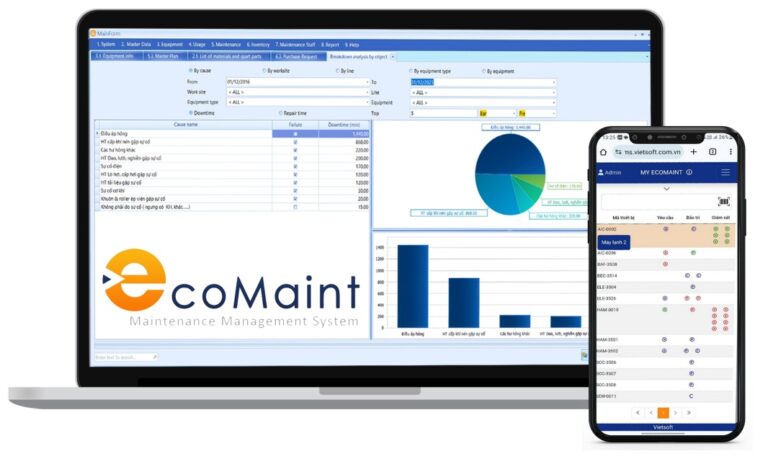
IX. Why Choose Vietsoft’s CMMS EcoMaint for
Mobile Maintenance?
For organizations in Vietnam seeking a reliable Mobile
CMMS App, Vietsoft’s CMMS EcoMaint offers a tailored solution
designed to meet the needs of modern maintenance teams. With a user-friendly
interface, robust features, and seamless mobile integration, CMMS EcoMaint
empowers technicians to manage work orders, track assets, and optimize
inventory from anywhere.
Key highlights of CMMS EcoMaint include:
- Real-time work order management with push notifications.
- Comprehensive asset tracking with QR code scanning.
- Offline functionality for remote operations.
- Customizable reports for data-driven decision-making.
- Integration with IoT sensors for predictive maintenance.
By adopting CMMS EcoMaint, businesses can
streamline maintenance processes, reduce costs, and achieve operational
excellence. Curious to learn more? Visit Vietsoft’s CMMS EcoMaint page to
explore how this solution can transform your maintenance operations.
X. Conclusion: The Future of Maintenance with
Mobile CMMS Apps
Mobile CMMS Apps are reshaping the maintenance landscape by
providing unparalleled flexibility, efficiency, and data accessibility. From
real-time work order management to predictive maintenance capabilities, these
apps empower organizations to move beyond reactive strategies and embrace
proactive, data-driven approaches. By addressing challenges like implementation
and user adoption, businesses can unlock the full potential of Mobile CMMS
Apps to reduce downtime, cut costs, and enhance asset reliability.
For maintenance professionals in Vietnam,
Vietsoft’s CMMS EcoMaint stands out as a powerful, mobile-first solution
that delivers measurable results. As industries continue to evolve, adopting Mobile
CMMS Apps is not just an option—it’s a necessity for staying competitive in
2025 and beyond.
Ready to take your
maintenance operations to the next level? Discover CMMS EcoMaint here.
Contact us via hotline: 0986778578 or email: sales@vietsoft.com.vn.