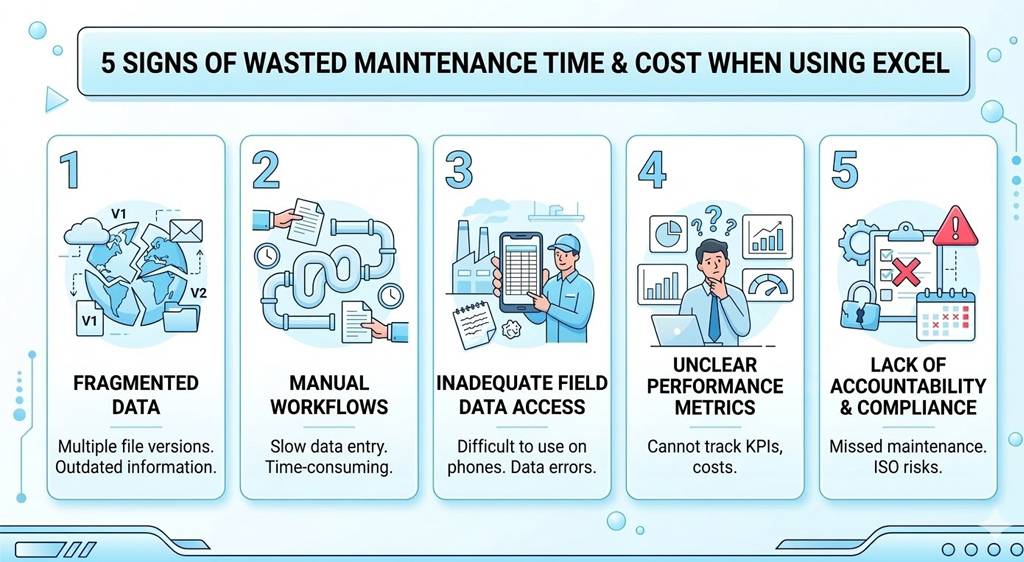
Are you using Excel to manage maintenance operations in your factory? If the answer is yes, you are not alone. Most maintenance teams in factories across Vietnam—and many around the world—are using Excel for maintenance management. From planning preventive maintenance, tracking equipment condition, to managing spare parts… everything is stored in spreadsheets.
Simply because Excel is familiar, flexible, and has almost zero operating cost. At first, this seems convenient and economical. However, it is also a hidden cause of time and maintenance cost waste that many businesses fail to recognize. Below are the 5 most obvious signs that you are wasting time and maintenance costs by continuing to rely on Excel.
I. Fragmented Data – No Single Source of Truth
Try counting how many versions of maintenance Excel files currently exist in your company.
One on your computer, one on a shared drive, another sent via email to your manager last week, and your technicians might still be using a printed version from last month. When changes occur, who will update all those files?
This is a major headache when it comes to controlling and keeping maintenance documents synchronized across the system. Data becomes scattered, outdated, and inconsistent. A technician may be performing maintenance based on an old schedule, while a manager is looking at inaccurate spare parts inventory data.
From a modern management perspective:
In modern maintenance management, real-time data is critical. Without a centralized platform, you will never know the true condition of your factory. Decisions are made based on incorrect or incomplete information. Delays in updating equipment status keep you in a reactive position—waiting for failures before taking action.
Consequences:
You cannot proactively prevent breakdowns. The cost of unexpected downtime is always many times higher than planned maintenance. This is the first sign of wasted time and maintenance costs.
II. Manual Processes Are Consuming Valuable Technician Time
Imagine a typical workflow: An operator notices abnormal signs in a machine. He writes it down on paper, walks to the office, and looks for the person in charge. That person opens an Excel file, creates a new row to log the request, then has to find or call a maintenance technician to assign the task.
Sound familiar? Every step in this process is manual, repetitive, and unnecessarily time-consuming.
From a modern management perspective:
Excel is a passive tool. It only stores data when you input it. It cannot automatically send notifications or assign tasks based on technician skills or workload. The time your maintenance team spends “chasing” Excel files is time they could spend actually maintaining equipment.
Studies show that maintenance teams using Excel can spend dozens of hours each month just on data entry and reconciliation. Suppose you have 5 maintenance staff, each spending 8 hours/month on this—this results in 40 hours wasted, equivalent to one full workweek of a single employee.
Consequences:
Labor costs silently increase while maintenance efficiency declines. In reality, you are paying technicians to do… administrative work!
III. Inability to Access Data in the Field
Have you ever tried opening and editing a complex Excel file on a smartphone? It is a frustrating experience—tiny cells, broken formulas, and endless scrolling through columns.
This means your technicians are completely disconnected from the management system when they are working in the field. They must print schedules, write notes manually, and later return to the office to input data into the computer.
From a modern management perspective:
The gap between office and field is one of the biggest barriers in maintenance management. When technicians cannot update job status on-site or access equipment history while standing in front of it, information becomes delayed and inaccurate.
You cannot verify whether work was done correctly, nor do you have digital evidence (such as photos or electronic signatures) for auditing and verification.
Consequences:
Work progress slows down, and maintenance quality becomes difficult to control. You waste time and maintenance costs reconciling information and fixing errors caused by poor communication.
IV. Lack of Performance Visibility – “You Can’t Improve What You Don’t Measure”
Your boss asks: “What was last month’s PM compliance rate? Which machine fails most often? What is the average maintenance cost per asset?”
What do you do? Open Excel, filter data, write formulas, drag and drop, and spend hours compiling reports. Or faster—copy data into an LLM like ChatGPT or Gemini for analysis? Even then, you may not be sure if the results are accurate, as you might have missed a row during processing.
From a modern management perspective:
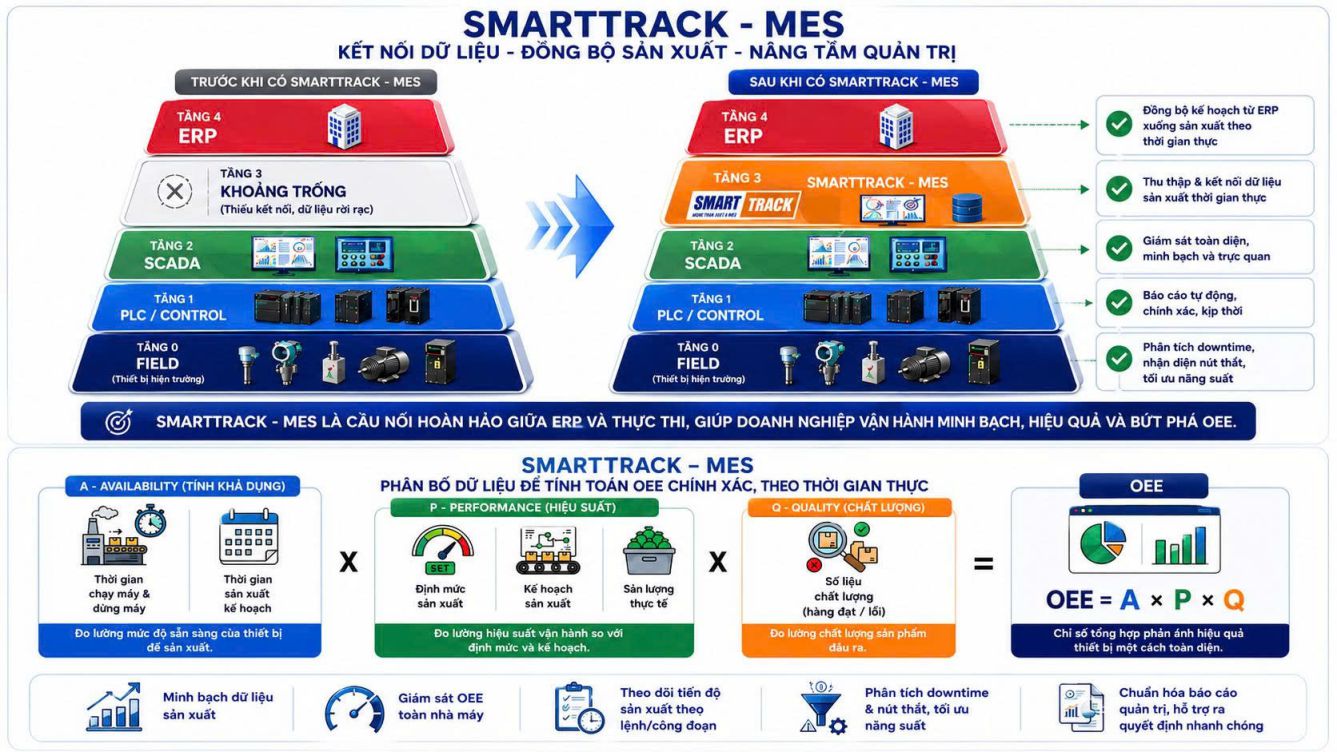
Excel stores raw data, but it is not an analytics tool. Turning data into actionable insights requires a lot of manual work. Meanwhile, metrics like MTTR (Mean Time to Repair) and MTBF (Mean Time Between Failures) are critical indicators of maintenance performance. Without a visual dashboard, you will keep “swimming” in messy data and fail to detect systemic issues.
Consequences:
Decisions about staffing, spare parts, and maintenance strategies are based on intuition (“I think…”) rather than data (“I know…”). This leads to large-scale waste of time and maintenance costs, preventing business growth.
V. Lack of Accountability and Compliance Challenges
In an Excel file, can anyone tell you: Who changed this parameter? When was it changed? And why?
The usual answer is: “No one knows.” Change tracking in Excel can be easily disabled, and users can overwrite each other’s data. When errors occur, no one is accountable.
From a modern management perspective:
Compliance is mandatory in many industries such as pharmaceuticals, food, and energy. Equipment must be inspected on schedule to maintain certification or warranty.
With Excel, it is easy for a preventive maintenance schedule to be “forgotten” in some sheet. The lack of a clear audit trail makes it difficult for businesses during inspections, ISO audits, or regulatory checks.
Consequences:
Legal and operational risks increase. A failed audit or safety incident can lead to intangible reputational damage and tangible financial loss—far exceeding any savings from not investing in technology. You are essentially gambling the safety of your entire factory on an Excel file.
VI. When Should You Say Goodbye to Excel?
If you recognize these signs in your team, it is time to seriously consider a more professional solution. Excel may be a good starting point, but it was not designed for sustainable maintenance management.
You are paying for its initial “free” cost through growing hidden expenses: labor, errors, downtime, and missed optimization opportunities.
The question is not whether you should transition—but when you will do so before a serious incident occurs.
VII. What Is the Solution for Maintenance Management?
Clearly, it is time for a more powerful tool designed specifically for maintenance operations. A modern maintenance management system will help you:
- Centralize all data in one place with real-time updates
- Automate work order creation, assignment, and tracking
- Enable technicians to access and update information directly on mobile devices in the field
- Provide instant, accurate, and visual reports for decision-making
- Ensure compliance and transparency with detailed audit trails
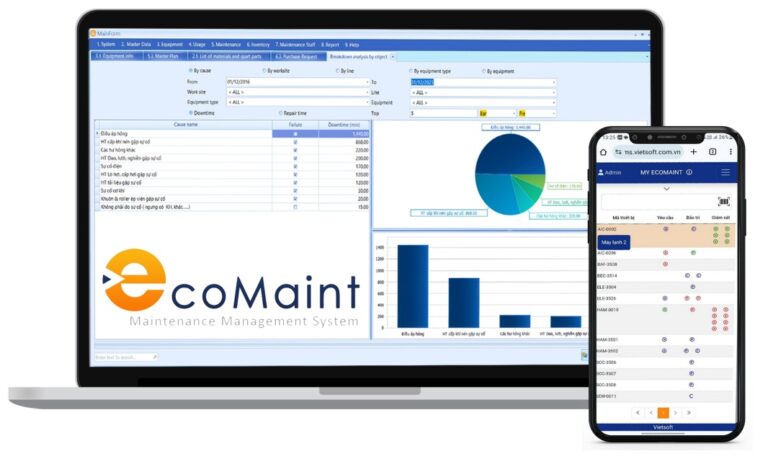
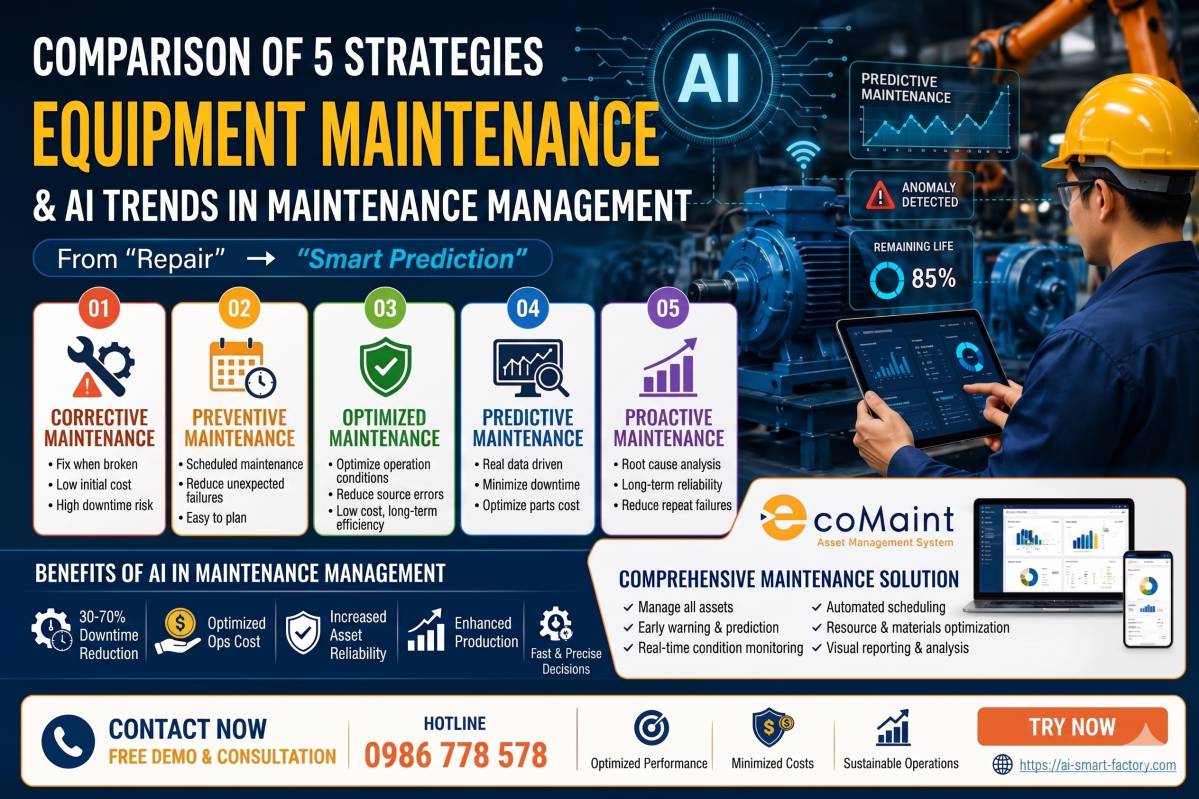
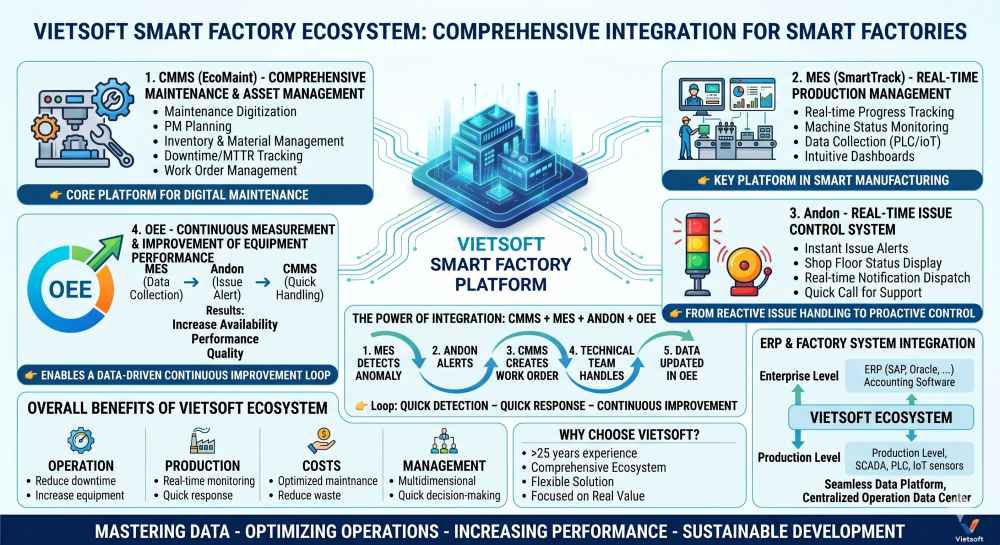
This is where a CMMS (Computerized Maintenance Management System) demonstrates its true power. And CMMS EcoMaint was created to fully solve the “headaches” caused by Excel.
Explore the CMMS EcoMaint solution today—where we build an intelligent maintenance management system tailored to manufacturing in Vietnam, helping you optimize and control all maintenance activities effectively.
Discover the EcoMaint CMMS maintenance management software solution here: https://ai-smart-factory.com/cmms-ecomaint/
Or contact us for consultation via hotline: 0986778578 or email: sales@vietsoft.com.vn